A real command line
Type L, press Enter, click or type points. Over 200 command names and short aliases (L, C, PL, TR, O, F…) have step-by-step prompts and options familiar to experienced CAD users.

Project
A free 2D CAD application for Windows and Linux, written in Rust. It has a ribbon, a command line with the standard drafting command names, and it opens your DXF and DWG drawings.
Early release
 OpenDraftDownload
If you draft for a living, for your workshop or for your own projects, you should not need a subscription to open and edit a drawing. OpenDraft is one small native program, with source you can read, build and change.
Where it stands. Early development. It already covers a large part of everyday 2D drafting, but features and the native .odx format can still change between releases. Keep a DXF copy of anything you care about.
| Built with | Rust and egui, one native executable |
|---|---|
| Platforms | Windows 10/11 (64-bit), Linux (X11 and Wayland) |
| Reads | DXF, DWG (AutoCAD 2010 to 2018), native .odx |
| Writes | DXF, PDF, SVG, prints to paper, native .odx |
| Tests | 3,300+ automated tests, run on Windows and Linux in CI |
| Licence | GPL-3.0-or-later |
Type L, press Enter, click or type points. Over 200 command names and short aliases (L, C, PL, TR, O, F…) have step-by-step prompts and options familiar to experienced CAD users.
Line, circle, arc, ellipse, rectangle, polygon, polyline, spline and hatch. Move, copy, rotate, mirror, scale, stretch, trim, extend, offset, fillet, chamfer, join, break, arrays and more, with grips and object snaps.
Single-line and multiline text, fields that fill in from your drawing properties, dimensions with styles, leaders and multileaders, and blocks with editable attributes.
Paper-space layouts with viewports. Plot with Ctrl+P to PDF, SVG or a printer, with paper, scale and area settings and a preview. Printing is new, so tell us how it goes on your printer.
Reads DXF and DWG files (saved by AutoCAD 2010 to 2018) and writes DXF. There is no DWG export yet. The DWG reader is a separate crate that other projects can reuse.
Every change is one undo step, saves are atomic, and autosave and crash-recovery copies help protect your work.
Real recordings of OpenDraft 0.2.0 on Windows, driven from the command line. The bracket is drawn from typed coordinates, dimensioned and offset.
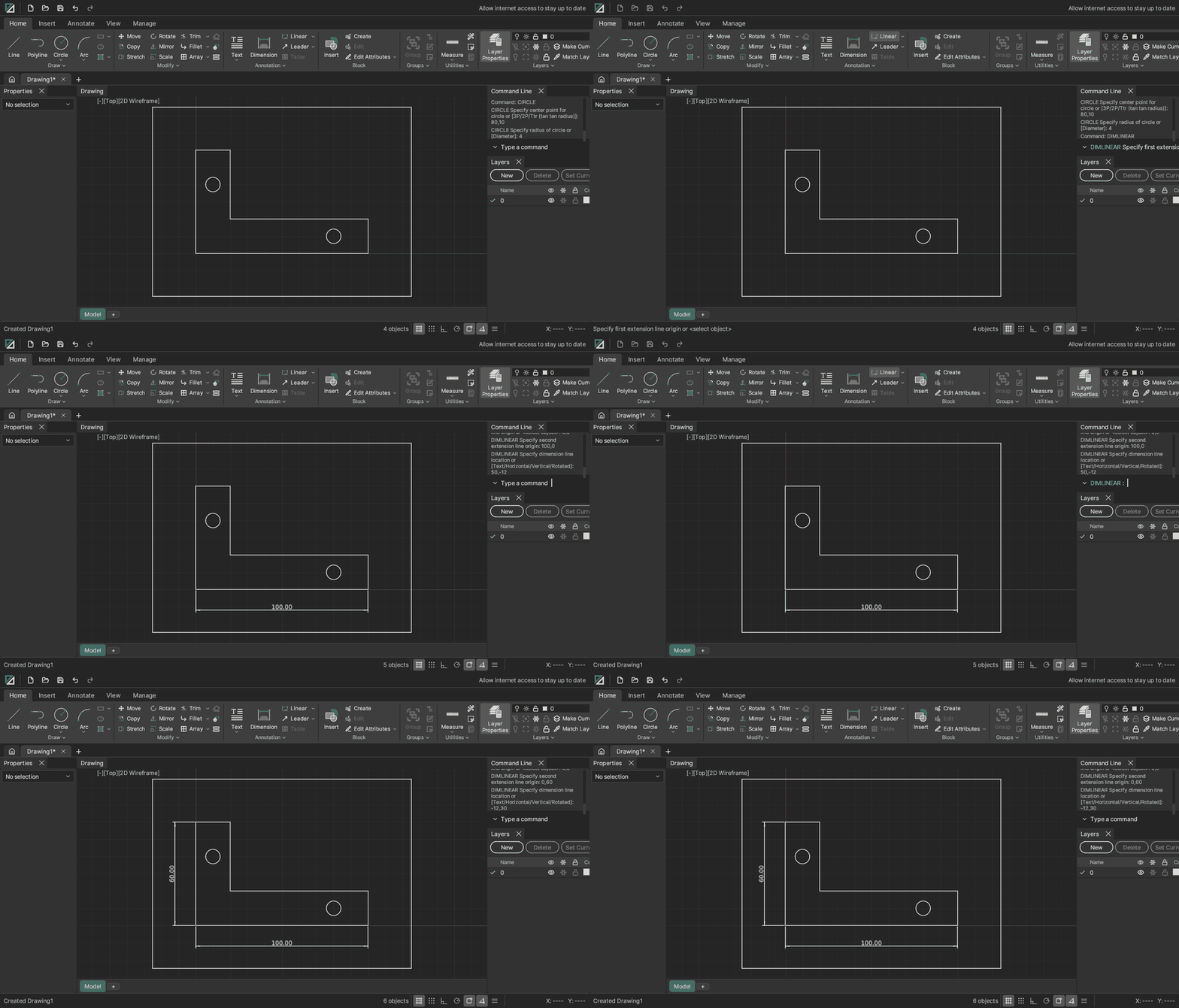
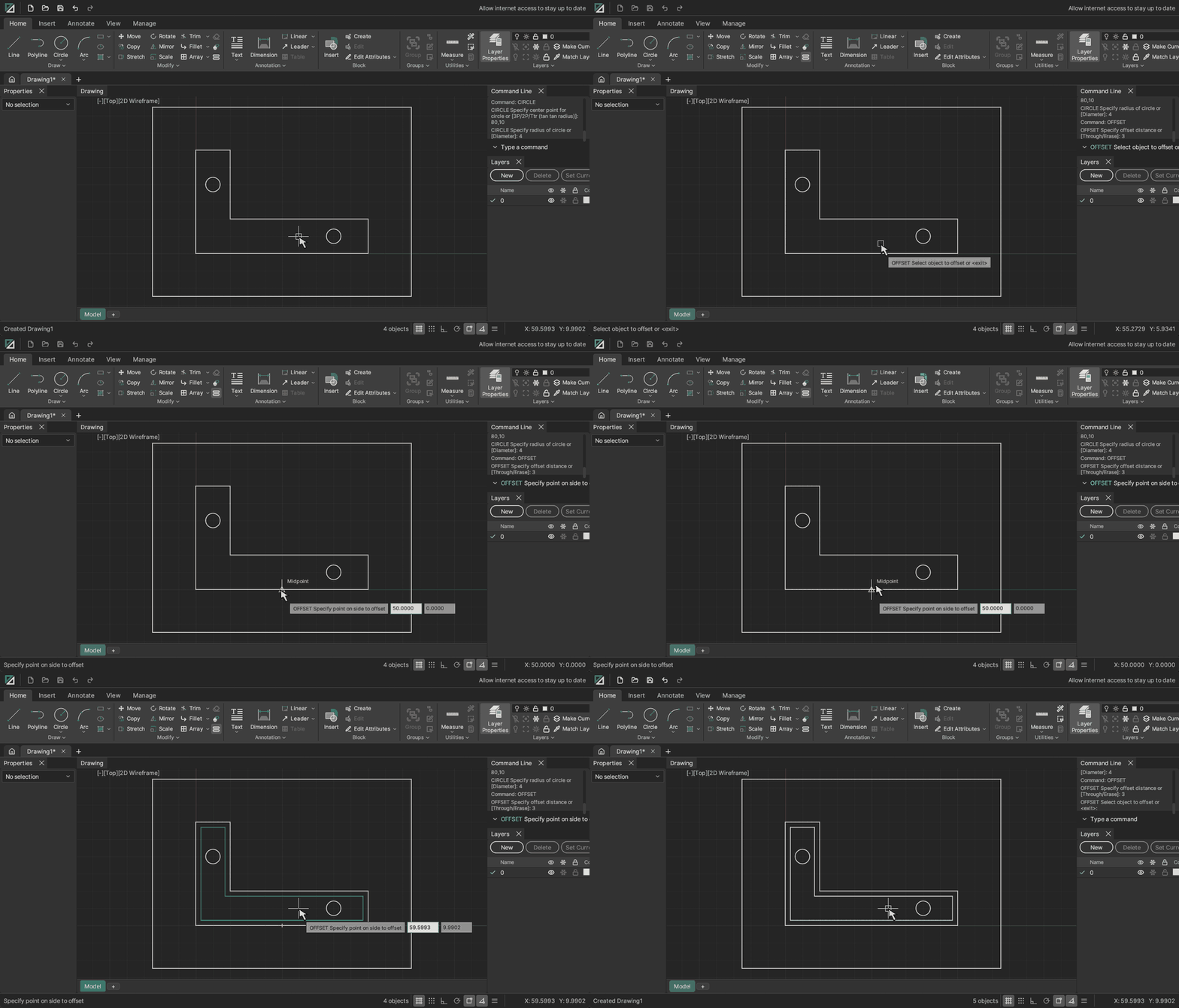
Open OpenDraft and click on the command line. The command names and shortcuts will be familiar to experienced CAD users. F8 toggles ortho and F3 toggles object snaps.
Command: L                        ← Enter, or just press the space bar
Specify first point: 0,0
Specify next point or [Undo]: @100<30   ← typed polar coordinates
Specify next point or [Undo]: <click>   ← or pick with the mouse
Command: O                        ← Offset it
Specify offset distance: 5
Command: TR ← Trim. Fillet is F, Chamfer is CHA …There are two early, optional ways to let an AI assistant work with your open drawings. Both are off until you turn them on, and every change an assistant makes is one Undo step. Neither is needed to use OpenDraft.
OpenDraft has no telemetry and no account. It makes no network requests unless you allow it. Two features can reach the network, and both are off by default:
These are known gaps. The full plan is on the roadmap.
Latest release v0.2.0, published 3 Nov 2026.
Builds are not code-signed yet, so Windows may show an unknown publisher warning.
Download from the releases page. The Linux programs are built on Ubuntu 22.04, so they need glibc 2.35 or newer. For libraries, file dialogs and troubleshooting, see the Linux page.
On Windows the builds are not code-signed yet. If SmartScreen says “Windows protected your PC”, and you trust the download (check it below), choose More info, then Run anyway.
| System | File |
|---|---|
| Windows 10 or 11 (64-bit) | windows-x64.msi installer (per user, no administrator needed), or windows.zip portable |
| Debian, Ubuntu, Mint | linux-amd64.deb. Adds the menu entry, icons and the .odx file type |
| Any Linux distribution | linux-x86_64.AppImage, one file, no root. Or linux.tar.gz |
| Arch, Flatpak | Build files are in the repository but not yet published to the AUR or Flathub |
Each release has a SHA256SUMS file. Compare your file’s SHA-256 with it.
Get-FileHash .\OpenDraft-<version>-windows.zip -Algorithm SHA256   # Windows
sha256sum -c SHA256SUMS --ignore-missing # LinuxYou need a recent stable Rust toolchain.
git clone https://github.com/JamesHodgkins/OpenDraft.git
cd OpenDraft
cargo run --release -p od-appSource on GitHub. Licence: GPL-3.0-or-later.
AutoCAD, DWG and DXF are trademarks or registered trademarks of Autodesk, Inc. OpenDraft is an independent project, not affiliated with, endorsed by or sponsored by Autodesk. The names are used only to describe file and command compatibility.